If you’ve ever used Linux Mint or Ubuntu on the same laptop where you run Windows 10 or 11, you might have noticed something surprising: the laptop runs cooler on Linux but gets hotter on Windows.
This isn’t just in your head. The difference comes from how each operating system handles power management, background processes, and performance tuning.
The good news: with the right tweaks, you can make your Windows laptop run almost as cool and efficient as Linux.
Why Windows Runs Hotter Than Linux?
Q: Why does Linux stay cooler than Windows?
Linux uses more aggressive power-saving defaults and runs fewer background tasks, while Windows prioritizes performance and keeps more services active.
Here are the main reasons:
- Power Management
Linux distros like Mint or Ubuntu ship with tools like TLP that throttle CPU more aggressively and save power by default. Windows prefers performance unless you change the plan. - Background Services
Windows Update, telemetry, indexing, and antivirus scans run silently in the background. Linux keeps idle tasks minimal. - Drivers and Fan Control
Linux often respects firmware thermal rules directly. Windows drivers sometimes push CPUs to boost longer before fans kick in. - Performance Settings
On Windows, High Performance mode keeps CPU cores active. Linux defaults closer to balanced, leading to less heat.
For a full comparison of laptops across all operating systems, see our complete MacBook vs Linux vs Windows guide.
How to Keep Your Windows Laptop Cool
Here’s a step-by-step plan to cut heat and bloat on Windows:
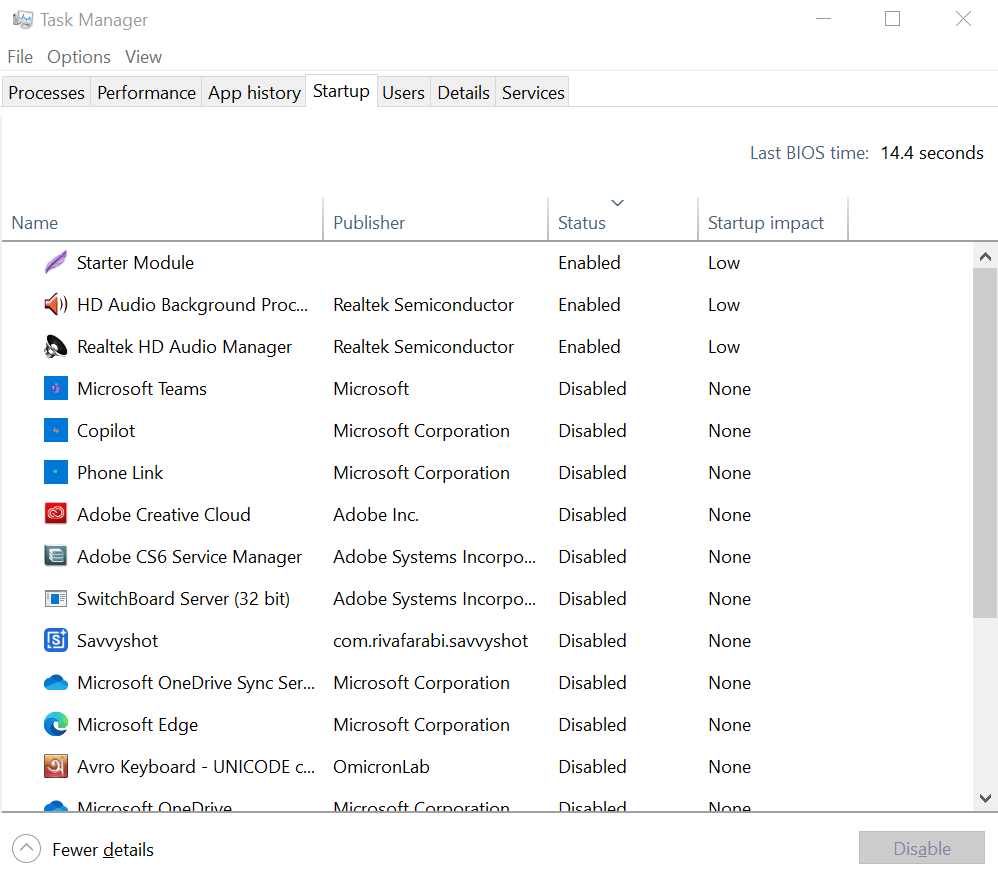
1. Disable Startup Programs
- Open Task Manager → Startup tab.
- Disable apps you don’t need on boot (Spotify, OneDrive, Zoom, update helpers).
- ✅ Leave antivirus enabled
2. Turn Off Background Apps
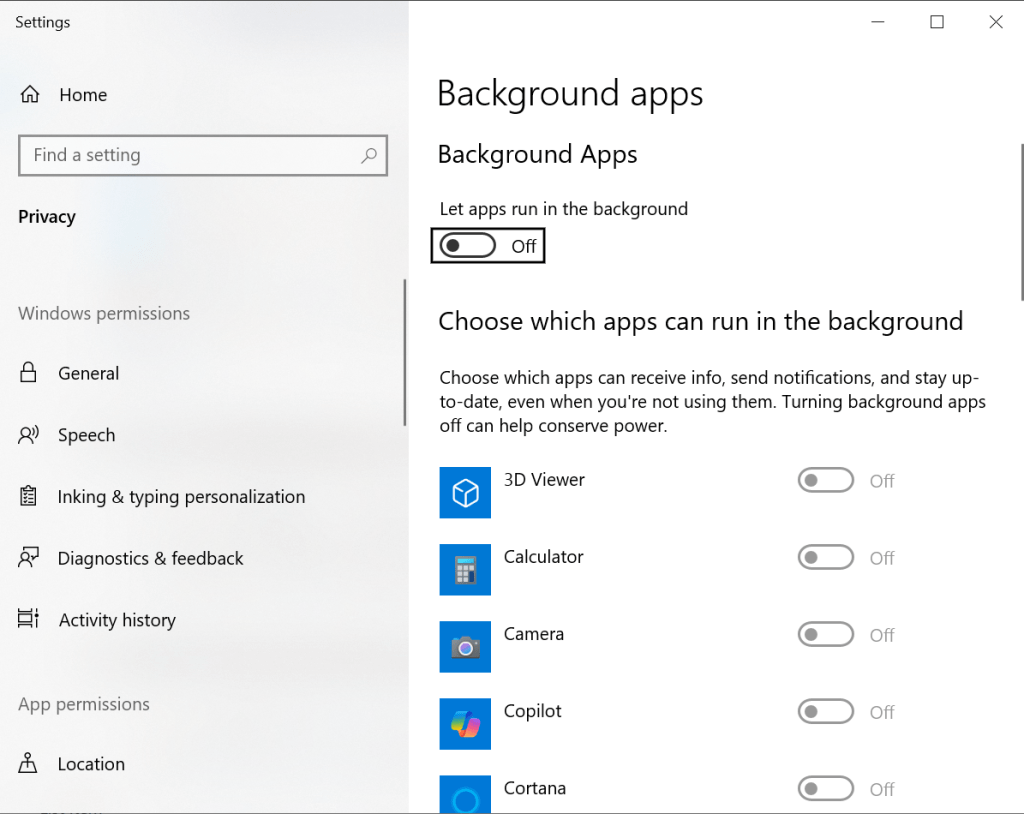
- Go to Settings → Privacy → Background apps.
- Toggle Let apps run in the background → Off.
- Or disable app by app (Xbox, Mail, Maps, etc.).
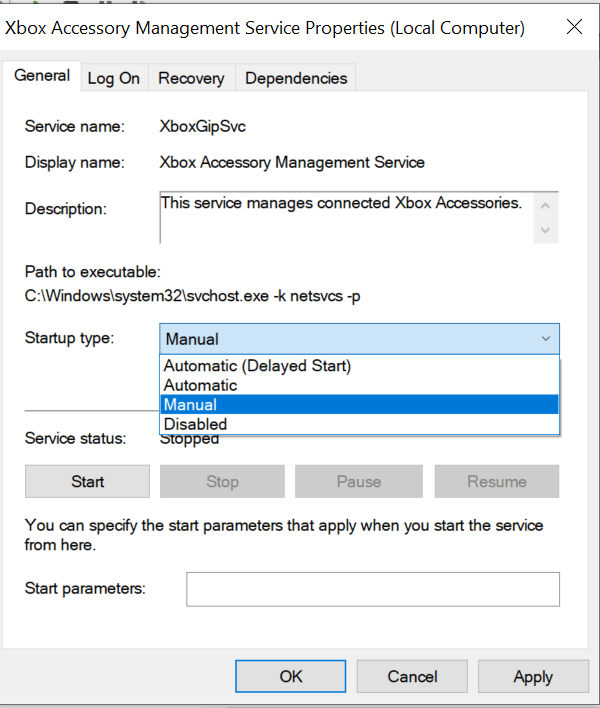
3. Limit Unnecessary Services
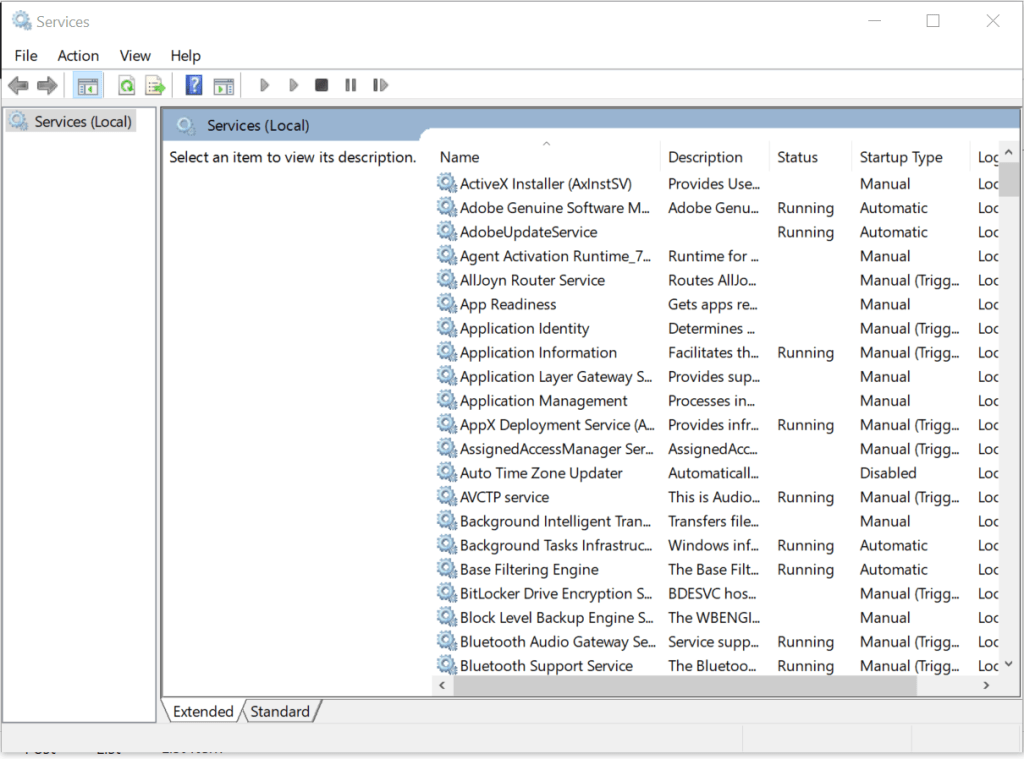
- Press Win + R, type
services.msc. - Switch startup type to Manual for things you don’t use, like Xbox Services, Print Spooler (if no printer), or Bluetooth (if rarely used).
- ⚠️ Don’t touch critical services like Windows Update.
4. Stop Windows Search Indexing
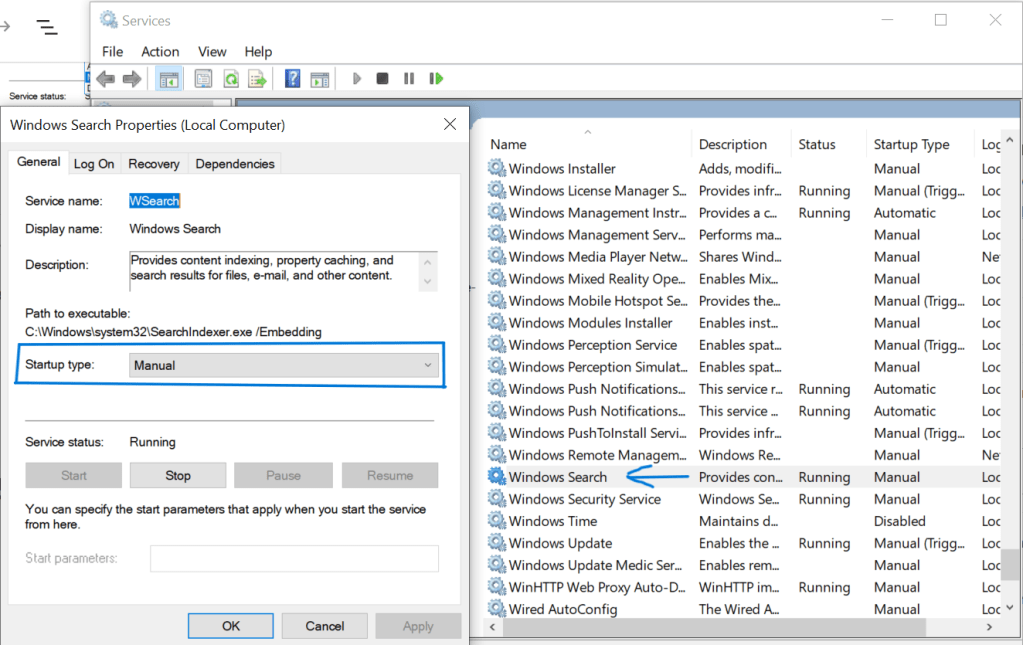
- If you rarely use Windows search:
- In Services, find Windows Search, set to Manual, and stop it.
- This reduces constant disk activity and CPU usage.
5. Control Windows Update
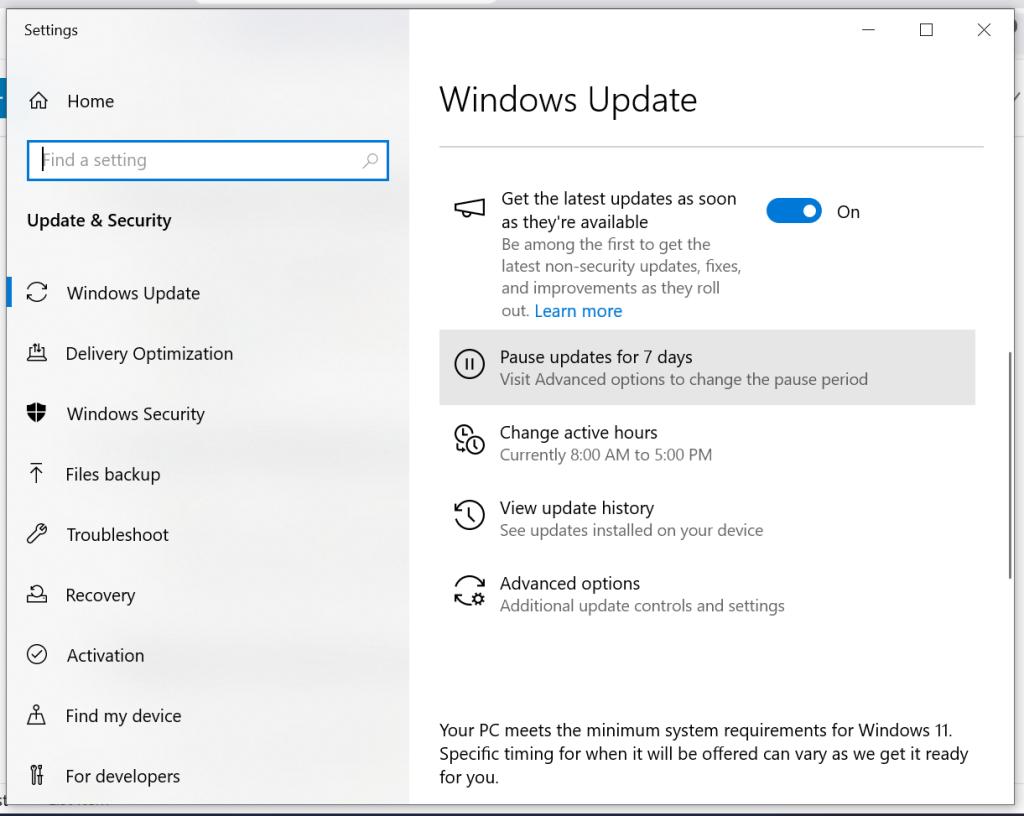
- Settings → Update & Security → Advanced options.
- Pause updates for up to 7 days.
- Prevents random CPU spikes during updates.
6. Use Debloater Tools (Optional)
- Tools like O&O ShutUp10 or Windows10Debloater can remove hidden background services safely.
Extra Tips for Cooler Windows
- Switch to Balanced or Power Saver power plans.
- Update Intel chipset & GPU drivers.
- Clean fans and vents regularly.
- Consider undervolting with ThrottleStop or Intel XTU for lower temps.
- A cooling pad can help if you use the laptop on a desk for long sessions.
FAQs
Q1: Why does my HP Envy overheat on Windows but not Linux?
Because Windows runs more background processes and pushes the CPU harder by default, while Linux uses stricter power-saving.
Q2: Will disabling background apps make my laptop faster?
Yes. Disabling unnecessary apps not only reduces heat but also improves battery life and responsiveness.
Q3: Can I make Windows as cool as Linux?
Almost. By tweaking startup programs, services, and power modes, you can bring Windows temps much closer to Linux.
Final Thoughts
Linux laptops often feel cooler because they’re tuned for efficiency out of the box. With a little tweaking, you can make your Windows 10 laptop just as cool and quiet without giving up performance when you need it.
Start by disabling startup bloat and background apps. That alone makes the biggest difference.
If this perspective speaks to you, subscribe here and join me as I explore how culture, technology, and branding shape the choices we make every day.
 safa.tech
Leave a comment