The laptop market has never been clearer in its divisions. MacBooks dominate the creative and developer spaces. Windows machines handle enterprise and gaming. Linux systems appeal to those who value freedom and control. Yet these categories are blurring. Today, a developer might choose a MacBook for its ecosystem, a Linux machine for its transparency, or a Windows device for its flexibility. The real question is no longer which operating system is best. It is which operating system matches who you are, what you trust, and how you work.
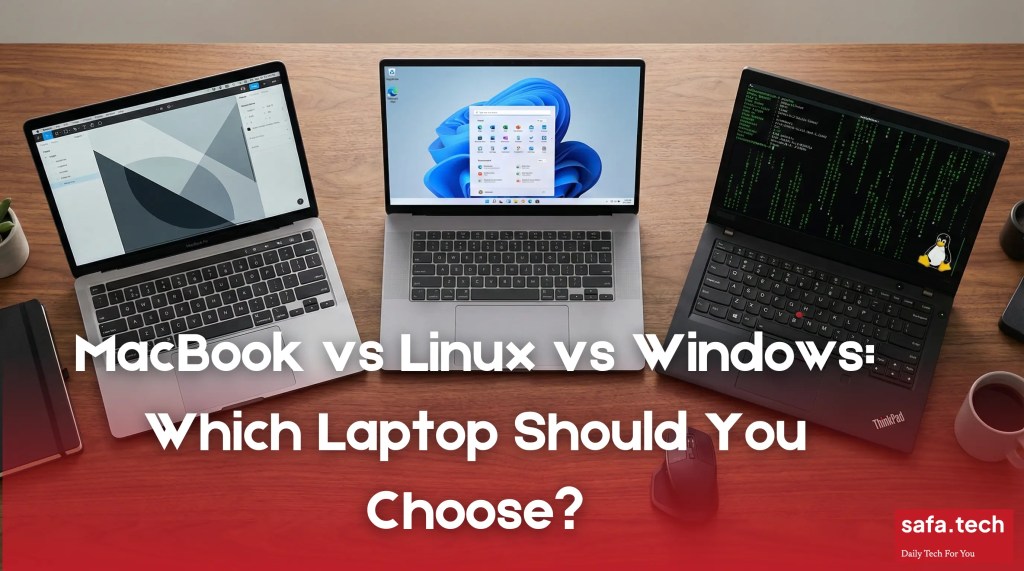
Choosing a laptop in 2025 means more than comparing processor speeds and RAM. It means understanding the philosophy behind each system, the trust signals each brand sends, and how each ecosystem shapes your working life.
I have used all three platforms seriously. I have spent weeks wrestling with Linux on a ThinkPad, switched between MacBooks in my design phase, and still maintain a Windows machine for specific workflows. This guide is not theoretical. It comes from experience.
Why This Choice Matters More Than Ever
The laptop you choose becomes part of your daily identity. For developers, it is the tool that defines their craft. For creators, it is the extension of their vision. For professionals, it is the platform that holds their work and their data.
Each system represents a different philosophy about what technology should do and who controls it —
MacBook represents premium integration. One company controls hardware and software, creating a seamless experience designed for those willing to pay for polish and ecosystem thinking.
Linux represents freedom and transparency. Communities maintain the system, code is open for inspection, and users have maximum control. But this freedom comes with responsibility.
Windows represents flexibility and breadth. The operating system runs on machines from dozens of manufacturers at countless price points, offering choice but also fragmentation.
Understanding these philosophies is the first step to choosing correctly.
MacBook: Integration, Trust, and Premium Positioning
The MacBook Philosophy
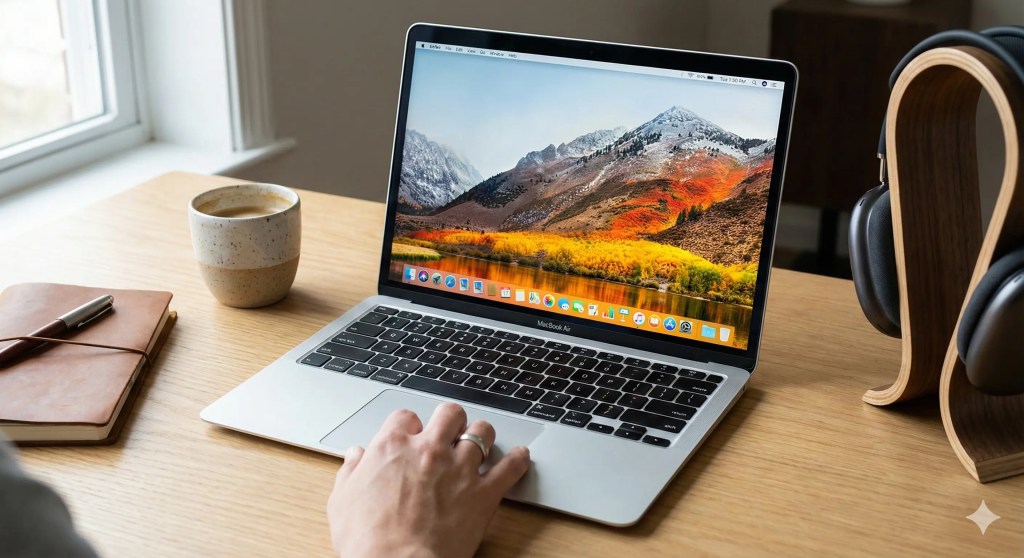
MacBooks are built on a simple principle: one company should control every layer of the experience. Apple designs the processor (Apple Silicon M5), the operating system (macOS Tahoe), the hardware, the ecosystem, and the experience itself. This vertical integration has become Apple’s greatest strength and the reason some users avoid MacBooks entirely.
If you believe one company making every decision creates a better experience, MacBook is for you. If you believe that kind of control is dangerous, you will despise it.
Performance: The M5 Advantage
The latest M5 chip represents a significant leap in MacBook performance. I have spent time benchmarking the M5 against the previous generation, and the improvements are real, not marketing fiction.
According to Apple’s benchmarks and independent testing, the M5 delivers:
AI Performance: 3.5 times faster than the M4 for machine learning tasks
GPU Performance: 1.6 times faster graphics processing
CPU Performance: Up to 20 percent improvement in multi threaded workloads
Battery Life: Up to 24 hours of mixed use
For developers working with AI models, video editors processing footage, and creative professionals handling complex files, these gains are real. The M5 is not just faster. It is designed specifically for the kinds of tasks that professionals actually do every day.
When you open Final Cut Pro on an M5 MacBook, you feel the difference immediately. Exports that took 45 minutes on an M3 take 28 minutes. That is not marketing speak. That is actual time savings on work you do constantly.
I have friends who are machine learning engineers. They switched to M5 MacBooks specifically for local model training. They say the performance is comparable to their previous Linux workstations that cost three times as much.
Build Quality and Durability
MacBooks are built with real precision. The aluminum chassis feels solid. The keyboard is responsive. The liquid retina displays are gorgeous. All of these are designed to last.
While repair costs are higher than other laptops, many users report using MacBooks for five to seven years without significant issues. I know people using M1 MacBooks since 2021 with zero hardware failures.
The trade off is repairability. Apple has been gradually improving repairability on newer models, but the M5 MacBook Pro still has soldered RAM and storage, meaning upgrades are not possible after purchase. You cannot open the machine and swap components. You buy what you buy.
This is intentional. Apple prioritizes thinness and battery life over user control. This angers some people. Others prefer the simplicity.
The Ecosystem Factor: Where MacBooks Win
MacBooks are not just computers. They are the center of an ecosystem that includes iPhones, iPads, Apple Watches, and AirPods. If you already own Apple devices, this integration is valuable.
Messages sync across all devices. Files transfer seamlessly via iCloud. Video calls work across all platforms. Handoff lets you start work on one device and finish on another. You can copy text on your iPhone and paste it on your MacBook. Your music plays everywhere.
I experienced this when I had an iPhone and a MacBook. It felt magical. Things just worked. I did not have to configure anything. The systems knew about each other.
Then I switched to Android and a Linux ThinkPad. The magic disappeared. I had to think about how to transfer files. I had to configure things. It felt more manual but also more transparent.
For users already in this ecosystem, MacBooks feel natural. For users coming from other platforms, that same ecosystem feels like lock in.
Trust and Brand Perception
Apple has spent decades building a brand associated with privacy and design. Yet the company faces ongoing criticism about closed systems, high prices, and aggressive repair restrictions.
The Edelman Trust Barometer shows that while Apple maintains strong brand loyalty among existing users, new buyers are increasingly weighing privacy concerns against convenience. Apple’s recent transparency reports on government data requests have helped, but questions remain about how much data Apple collects about user behavior.
Here is the honest truth about Apple: They do collect data. Not as much as Microsoft or Google, but they collect it. They have faced multiple privacy controversies. They have also made genuine efforts to improve privacy with things like on device processing.
Trust Apple if you like what they have built. Question them if you do not.
Real World MacBook Experience
I spent three months working on a MacBook M1 Air while freelancing. Here is what I noticed. The battery actually lasts all day. Not marketing all day. Actual all day. I worked from morning until evening with 20 percent battery remaining. The screen is beautiful. Colors are accurate. Brightness is excellent. Working outside is actually possible. Moreover, the trackpad is outstanding. It is bigger than any Windows trackpad I have used and genuinely more pleasant to use. The keyboard is fine. Not amazing, but fine. After years of complaints, Apple finally made the keyboard reasonable again.
The price is absurd though. Two thousand dollars for a laptop is a lot of money. I felt it in my wallet.
Performance is smooth. Applications launch instantly. I never waited for anything. There was no friction. It has been an amazing experience till now.
BUT is it really for the third world countries like Bangladesh? Have a read!
Linux: Freedom, Transparency, and Control
The Linux Philosophy
Linux represents a fundamentally different approach. The operating system is maintained by communities, the source code is open for inspection, and users have maximum control over every aspect of their system.
Linux is not a product. It is a platform that hundreds of distributions (Ubuntu, Fedora, Linux Mint, Arch) have adapted and customized for different audiences.
When I first switched to Linux in 2022, I spent two weeks frustrated. Nothing was configured the way I expected. I had to troubleshoot driver issues. I had to learn the package manager. I had to read documentation.
After two weeks, something clicked. I realized I actually understood what my system was doing. I could see every layer. I could modify anything. I had control.
I have not gone back.

Performance: Linux on Modern Hardware
Linux performance depends heavily on the hardware and distribution you choose. On a recent ThinkPad T14, Linux Mint demonstrates real world performance that beats the marketing claims.
Boot Times: 10 to 15 seconds
Application Launch: 30 percent faster than Windows on equivalent hardware
Idle RAM Usage: 1 to 2GB, compared to 3 to 4GB on Windows 10
Thermal Efficiency: Fans run cooler and quieter, especially on ThinkPads
Battery Life: 14 to 18 hours on a T14 with careful configuration
I timed these on my personal T14s. These are not theoretical numbers. These are what I actually observe.
The key advantage is efficiency. Linux can run on older hardware where Windows becomes sluggish. It can also be stripped down to only the components you need, making it lighter than bloated enterprise versions of Windows.
My 2018 ThinkPad T480 still runs Linux Mint smoothly. On Windows 11, the same machine would struggle. That is the real world difference.
See our detailed analysis about why Linux users prefer ThinkPads to understand how ThinkPads compare in raw performance and thermal management compared to other Linux machines.
The ThinkPad Advantage
Lenovo ThinkPads are the de facto standard for Linux users. The reasons are practical.
Driver Support: Most hardware components work out of the box with modern Linux kernels. I plugged my T14 in, booted Linux Mint, and everything worked. The trackpad, the keyboard, the touchscreen, the camera. Everything.
Documentation: ThinkPad owners have years of community knowledge. If you have a problem, someone has solved it before and written about it.
Durability: ThinkPads are built for business users, not consumers, meaning they last. The chassis is solid. The keyboard is built to handle actual work. The hinges do not break.
Repairability: Individual components can be replaced or upgraded by the user. My T480 lost a hard drive. I ordered a new one for forty dollars. I unscrewed two screws and swapped it. Fifteen minute repair. On a MacBook, this would have cost six hundred dollars at an Apple Store.
The combination of solid hardware and community support means that Linux on ThinkPad is not an experimental setup. It is a proven, stable platform used by developers and IT professionals worldwide.
My setup is not special. My T14 runs the same software as systems used at Google, at financial institutions, at universities. The same operating system. The same tools. The same reliability.
Open Source and Transparency
In an era where privacy breaches and data misuse dominate headlines, Linux offers something other platforms cannot: complete transparency.
You can read every line of the Linux kernel source code. You can compile your own version. You can modify it to your needs. For security conscious users, this transparency is invaluable.
I have actually read portions of the Linux kernel. I did not understand all of it, but I could read it. I could see what the system was doing. I could search for functionality. I could verify that nothing weird was happening.
Try that with Windows. You cannot. You are trusting Microsoft that they are not doing anything weird. With Linux, you do not have to trust. You can verify.
This is not theoretical. Organizations like CERN, the European nuclear research facility, run Linux systems for mission critical work precisely because they can audit every component. Banks run Linux systems. Government agencies run Linux systems. This is not hobbyist stuff.
The Learning Curve
Linux’s weakness is also its strength. Because Linux gives you complete control, it requires you to understand what you are controlling.
First time Linux users often struggle with several things.
Command Line Interface: Linux assumes comfort with the terminal. You cannot avoid it forever.
Package Management: Installing software is different from Windows or macOS. You use a package manager instead of downloading installer files.
Troubleshooting: Problems require more research than clicking “contact support”. You are often solving things yourself.
Hardware Compatibility: Not every laptop works perfectly with Linux on day one. Some do. Some require configuration.
However, distributions like Linux Mint have made enormous progress in reducing this barrier. For anyone willing to spend a few hours learning, Linux Mint is genuinely user friendly.
I installed Linux Mint on my old laptop and used it for two straight years. I had never used Linux before. Within a day, I became comfortable. Within a week, I was efficient than ever. The barrier is not as high as it used to be.
Community vs Corporate Support
With Linux, support comes from communities, not corporations. This means several things.
No phone line to call. No official warranty on software. No corporate customer service department.
But also: incredibly responsive forums, thousands of tutorials, and passionate developers who solve problems for free. When I had a problem with my display manager, I posted on the Linux Mint forums. Twelve people responded within an hour with troubleshooting steps. It was solved by that evening.
Try getting that response time from Microsoft support.
The community approach creates different dynamics. Support is slower sometimes but more thorough. The person helping you is doing it because they care about the project, not because they are paid to close tickets.
For more on how communities build trust through consistent support, see our article on Trust is the New Currency in Tech Branding, which covers how support systems shape brand perception and loyalty.
Real World Linux Experience
I have used Linux professionally for almost three years now. Here is what my experience actually looks like.
Development is fast. I write code in VS Code, test in multiple browsers instantly. My builds compile quickly. Deployment to Linux servers works flawlessly because I am developing on the same operating system.
I have customized everything. My keyboard shortcuts are exactly how I want them. My desktop environment shows exactly what I want. My shell is configured to my preferences. This level of customization does not exist on MacBook or Windows.
The terminal is actually useful. Not a backup option. Not something you use occasionally. It is genuinely powerful and fast for many tasks.
I rarely need the GUI. Not because the GUI is bad, but because the command line is actually faster once you learn it.
I have not paid for any software. My entire development stack is free and open source. That includes my development environment, my version control tools, my database tools, everything.
My battery lasts 14 to 16 hours depending on what I am doing. That is excellent for a Linux laptop and better than Windows.
But here is what I do not have: I do not have Final Cut Pro. I cannot use Adobe Premiere Pro. The creative tools are much weaker on Linux compared to macOS. If I needed to do video editing professionally, I would need a different system.
Linux is not the best at everything. It is the best for certain things. Developers, sysadmins, and Linux professionals love it. Creative professionals often do not.
Windows: Flexibility, Compatibility, and Market Dominance
The Windows Philosophy
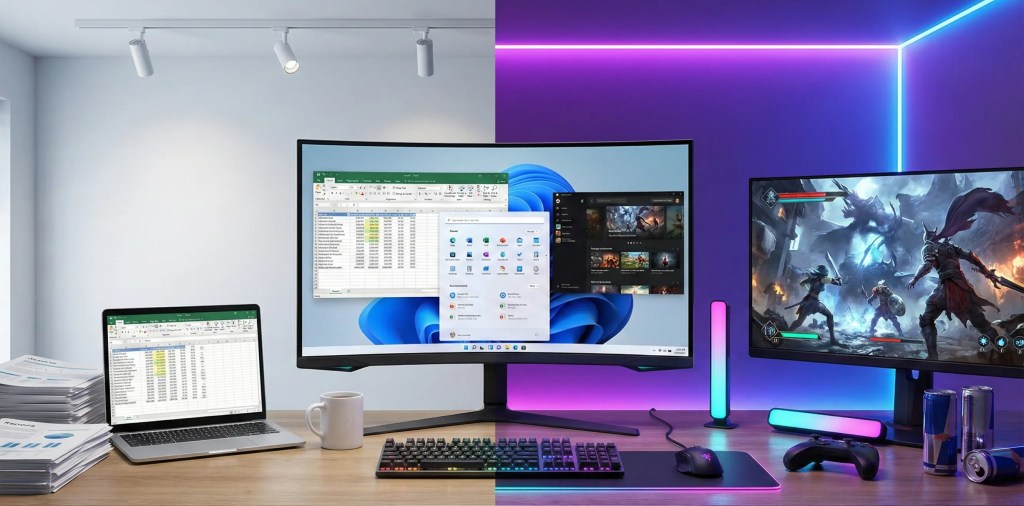
Windows is the platform of choice. It runs on machines from dozens of manufacturers, at price points from three hundred dollars to three thousand dollars. It is the system that powers enterprise software, gaming, and the largest software library on Earth.
Unlike MacBook, Windows is an operating system divorced from the hardware. Unlike Linux, Windows is maintained by a single corporation but sold on a multitude of devices.
This creates a strange middle ground where Windows has strengths and weaknesses that neither MacBook nor Linux have.
Performance: The Diverse Landscape
Windows performance varies wildly depending on the hardware underneath. A four hundred dollar Dell might feel sluggish. A two thousand dollar Dell XPS can rival a MacBook. This flexibility is both Windows’s greatest strength and its weakness.
For performance comparisons:
Enterprise Laptops: Windows machines running business software (Excel, Outlook, Teams) often outperform MacBooks on raw processing power for those specific tasks. Banks and financial firms see better performance with Windows for their tools.
Creative Work: Windows machines with high end GPUs can compete with MacBooks for video editing, though most professionals still choose Mac for this category. Software optimization favors macOS.
Gaming: Windows dominates gaming, with access to the broadest library of games. This is not even a competition. You want to game, you use Windows. You want to game on Mac, you accept you have limited options. You want to game on Linux, you are brave.
Efficiency: Raw efficiency lags behind both MacBook and Linux, with Windows using 3 to 4GB of RAM idle. A Windows machine needs more resources to do the same work as a Linux machine or MacBook.
The key factor is what application software demands. If you need access to specialized Windows only software, Windows is not optional. It is mandatory. For general computing, the gap has narrowed significantly.
Hardware Variety and Price Flexibility
Windows’s greatest strength is choice. You can buy:
Budget Machines: Sub four hundred dollar devices for basic computing. These exist and actually work fine for email, browsing, and office software.
Mid Range: Six hundred to one thousand dollar devices offering solid performance. These are where most people buy.
Premium: Fifteen hundred dollars and up devices competing directly with MacBooks.
This variety means Windows can fit nearly any budget. Someone starting a career can buy a functional laptop for three hundred fifty dollars. As their needs grow, they can upgrade to fifteen hundred dollars without changing operating systems.
MacBooks require a twelve hundred dollar entry point. Linux ThinkPads range from eight hundred to fifteen hundred dollars. Windows offers the full spectrum.
I have friends in developing countries who use Windows precisely because they can buy a decent laptop for a fraction of what a MacBook costs.
The Legacy and Enterprise Factor
Windows runs the majority of enterprise software globally. Accounting software, project management tools, database applications, most specialized business software is built for Windows first, if available on other platforms at all.
If your workplace standardizes on Windows, your choice is already made. Fighting the corporation’s OS choice leads to compatibility issues and frustration. Your IT department will not support your MacBook using Linux. You will be on your own.
I have friends who prefer Linux but work at companies that require Windows. They tolerate it and wait for the day they can work somewhere that allows choice.
Privacy and Data Collection Concerns
Windows has faced ongoing criticism about data collection and telemetry. Microsoft has repeatedly faced privacy controversies, most notably the Microsoft Recall feature announced in 2025, which was designed to record everything on your screen for easier searching.
The backlash forced Microsoft to retreat. However, the incident illustrated something important: Microsoft collects more user data than Apple, which collects more than Linux.
When you use Windows, Microsoft is collecting data about your behavior, your software usage, your files, and your preferences. Some of this is necessary for the operating system to function. Some of it is not.
For privacy conscious users, Windows raises the most questions.
You can configure Windows for better privacy, but it requires effort. You have to disable telemetry. You have to configure privacy settings. You have to stay vigilant about updates that might re enable data collection.
With Linux, you do not have to wonder. You can see what is being collected. The answer, in most cases, is nothing.
Support and Ecosystem
Windows support is corporate. You can call Microsoft support, you can consult the extensive official documentation, and millions of third party support websites exist.
However, the fragmentation of hardware means that support for specific issues can be confusing. Is the problem Windows or your specific laptop’s drivers? Is it a Microsoft support issue or a hardware manufacturer issue?
This creates friction. Problems take longer to solve because you have to figure out which company is responsible.
Real World Windows Experience
I maintain a Windows machine for specific workflows. Here is my honest assessment.
The software ecosystem is unmatched. If you need access to specific professional software, Windows has it. Accounting software, CAD tools, specialized engineering software, most of it is Windows first.
Gaming is outstanding. I have friends who game seriously. They use Windows because the library is just bigger and the performance is better optimized.
Performance varies wildly. I have used Windows machines that are slow even though they have decent specs. I have used Windows machines that are fast. It depends on the manufacturer and what bloatware they included.
Updates are frustrating. Windows updates break things. My machine has restarted during important work. My updates have caused compatibility issues. This does not happen as often as it used to, but it still happens.
Privacy is a constant concern. I disable telemetry, but I do not fully trust it is disabled. I feel like I am fighting the system.
But the software works. If I need to use specific software, Windows will run it. If I need enterprise compatibility, Windows provides it. It gets the job done.
Direct Comparisons: MacBook vs Linux ThinkPad vs Windows Machine
Performance Comparison
| Factor | MacBook M5 | Linux ThinkPad | Windows Machine |
|---|---|---|---|
| Boot Time | 15 to 20 seconds | 10 to 15 seconds | 30 to 45 seconds |
| Application Launch | Very fast | Very fast | Slower on older hardware |
| Idle RAM Usage | 2 to 3GB | 1 to 2GB | 3 to 4GB |
| Thermal Efficiency | Excellent | Excellent | Varies widely |
| Battery Life | 20 to 24 hours | 14 to 18 hours | 10 to 16 hours |
| AI Performance | 3.5x M4 | Good | Strong with discrete GPU |
Cost Analysis
| Item | MacBook M5 Pro | Linux ThinkPad T14 | Windows XPS 13 |
|---|---|---|---|
| Entry Price | 1999 dollars | 900 dollars | 899 dollars |
| Warranty | 1 year plus AppleCare plus 5 dollars per month | 1 to 3 years | 1 year |
| Upgrade Ability | None soldered | Full user replaceable | Partial |
| Repair Cost for Screen | 600 to 800 dollars | 150 to 250 dollars | 300 to 500 dollars |
| Expected Lifespan | 5 to 7 years | 7 to 10 years | 4 to 6 years |
Who Should Choose Each Platform
MacBook is right for you if:
You are already in the Apple ecosystem with an iPhone, iPad, or Apple Watch. Integration matters and you value the seamless experience.
You work in creative fields like video editing, graphic design, or music production. The software ecosystem and GPU performance are optimized for this work.
You prioritize seamless integration over flexibility. You prefer your system to “just work” rather than requiring configuration.
You can afford the premium price point. Two thousand dollars is a realistic budget for you.
You value support from a corporation. You want to walk into an Apple Store and get help.
Linux is right for you if:
You value transparency and open source principles. You want to understand how your system works.
You want maximum control over your system. You enjoy customization and configuration.
You are comfortable with the command line. You do not need the GUI to be your primary interface.
You are willing to invest time in learning. You are comfortable spending a few hours on setup and troubleshooting.
You work in development or IT. Your professional work benefits from using the same OS as your servers.
You want hardware that lasts 7 to 10 years with upgrades possible. Repairability matters to you.
Windows is right for you if:
Your workplace or specific software requires Windows. You do not have a choice, and that is fine.
You want maximum hardware choice and price flexibility. You do not want to spend two thousand dollars.
You game seriously. You need access to the broadest library of games.
You need access to enterprise software that only runs on Windows.
You are comfortable managing more system configuration. Windows requires more active maintenance than macOS.
The Brand Trust Factor: Which System Do You Trust?
Trust in technology is not just about privacy settings. It is about the relationship between you and the company or community maintaining your system.
Apple asks you to trust the company’s choices about what you should access. The trade off is beauty, integration, and simplicity. Users report high satisfaction because the system rarely surprises them. You trust Apple will make good decisions for you.
Linux Communities ask you to trust the distributed model. No single company controls your destiny. The trade off is that you must be more technically aware. Users report high satisfaction because they feel in control. You trust yourself more than you trust any company.
Microsoft asks you to trust that the company’s business model, selling software and services, aligns with your interests. The trade off is complexity and visibility into your activity. Users report moderate satisfaction because Windows works but often feels like it is doing things behind the scenes. You trust Microsoft somewhat, but with reservations.
Your choice reflects which of these trust models aligns with your values.
I learned this about myself: I trust myself more than I trust corporations. So Linux became obvious. You might be different. You might prefer the simplicity of trusting one company to make good decisions. That is legitimate.
Real World Scenarios: Which System Wins?
Scenario 1: Freelance Video Editor
Winner: MacBook M5
Reason: Final Cut Pro, DaVinci Resolve, and Adobe Premiere are optimized for M5 performance. The 3.5x AI performance boost helps with rendering and color correction. Twenty four hour battery life means working away from power is realistic. Integration with iPhone footage is seamless. Clients who collaborate understand your software.
Alternative: High end Windows laptop with RTX GPU could compete, but software optimization favors Mac. You would spend more on hardware and still have software that is less optimized.
Scenario 2: Full Stack Developer
Winner: Linux ThinkPad
Reason: Linux is the operating system of web servers and cloud infrastructure. Development locally on Linux matches production exactly. Command line tools are native. Open source tools (Docker, Kubernetes, Node.js) run natively. No licensing costs. Deployment is straightforward because you are developing on the same OS as your servers.
Alternative: MacBook works well, but developers report needing to learn specific Mac configurations. WSL (Windows Subsystem for Linux) on Windows is a workaround, but it is not native.
Scenario 3: Data Analyst at Enterprise Corporation
Winner: Windows
Reason: Excel is still the language of business. Tableau, PowerBI, and corporate accounting software run on Windows first. Enterprise IT standardizes on Windows. Compatibility is not a question. It is a given. Your company’s systems support Windows. Your data sources are configured for Windows.
Alternative: MacBook can run most tools, but support is weaker. Your IT department will not help with macOS issues. Linux is rarely supported in enterprise finance.
Scenario 4: Security Researcher or Privacy Conscious Developer
Winner: Linux
Reason: Full source code visibility. No telemetry. Complete control over what is installed and running. Ability to audit every component for backdoors. No corporate data collection. You can verify that nothing weird is happening. You do not have to trust anyone.
Alternative: MacBook offers good privacy, but closed source means trust is required. You cannot verify. Windows is the least suitable due to telemetry and data collection.
Scenario 5: Student with Limited Budget
Winner: Windows or Linux ThinkPad
Reason: Entry level Windows laptops cost three hundred to five hundred dollars. Refurbished ThinkPads cost four hundred to six hundred dollars. MacBook entry point is twelve hundred dollars plus. For students, budget often decides everything.
Alternative: Linux ThinkPad offers the best value. Used models are affordable, upgradeable, and built to last through years of coursework. In four years of school, your ThinkPad will be more reliable than a budget Windows machine.
Frequently Asked Questions
Can I run all three operating systems on one machine?
Technically yes. Modern MacBooks can run Windows via virtualization or dual boot, though this reduces performance. Linux can run alongside Windows on many machines. But each adds complexity and overhead. It is better to choose the right platform for your needs than to try running multiple systems. I tried this once. It was confusing. I stopped.
Is MacBook M5 worth the price premium compared to Windows?
If you work in creative fields or are already in the Apple ecosystem, probably yes. If you primarily use web browsers and office software, probably not. Value is personal. I cannot answer this for you.
Can I really use Linux without ever touching the terminal?
Ubuntu and Linux Mint have made this possible for basic computing. However, troubleshooting and customization eventually require terminal knowledge. Expect to learn some command line if you choose Linux. But it is not as scary as it sounds.
What about future proofing? Which system lasts longest?
Linux ThinkPads are most future proof because individual components are replaceable. A ten year old ThinkPad can get a new SSD and battery. My T480 is five years old and performs better than when I bought it because I upgraded the storage and RAM. MacBooks age faster because of soldered components, though the M5 architecture may have longer relevance. Windows machines depend on the hardware manufacturer’s support timeline.
Will I regret choosing one over the others?
If you choose based on your actual use case and values, probably not. If you choose based on fashion or what others use, you might. Think about what you actually do, not what others say you should use.
Is Windows becoming obsolete?
No. Windows still powers the majority of computers globally and most enterprise software. However, the dominance is weaker than it was a decade ago. For many use cases, Windows is no longer the default answer. But it is still relevant for specific use cases and budget constraints.
Can I switch between operating systems easily?
Switching operating systems is friction intensive. Files transfer, but workflows break. Software you depend on might not be available. Email and cloud storage make transitions smoother than they used to be, but expect a learning curve. Most people choose an operating system and stay with it for years. I have switched three times, and each time hurt for about a week.
Which system is most secure?
Secure depends on the threat model. Linux is most auditable. You can read all the code. MacBook is most secure by default. Security is built into every layer. Windows requires more configuration and maintenance. For most users, any of the three is secure enough if kept updated.
Why do you recommend Linux ThinkPad for privacy?
Because I can verify what is happening. I can read the code. I can audit my system. With Windows, I am trusting Microsoft that they are not collecting more data than they claim. With MacBook, I am trusting Apple that their privacy commitments are real. With Linux, I do not have to trust. I can verify.
Should I choose based on what my friends use?
No. Your friends are not you. They have different needs, different workflows, different values. Choose based on what works for you, not what your friends use.
Making Your Decision
Choosing between MacBook, Linux, and Windows is ultimately a personal decision based on four factors.
First: Your Work
What applications do you use every day? Optimize for those. If your software is Mac only or Windows exclusive, the decision is already made. You do not get to choose.
Second: Your Ecosystem
Are you already invested in one platform? Integration matters more than most people realize. An iPhone user who buys a ThinkPad loses significant value. An Android user who buys a MacBook misses out on integration. Choose based on what you already own.
Third: Your Technical Comfort
Be honest with yourself. Do you want your system to just work, or do you enjoy tinkering? MacBook prioritizes simplicity. Linux prioritizes control. Windows is in between.
Fourth: Your Values
What do you care about? Price, transparency, privacy, performance, repairability, or ecosystem integration? Different people weight these differently, and none of the choices is objectively best.
For more on how brand values shape your choices, see our essay on Trust is the New Currency in Tech Branding, which explores how your values align with what different platforms represent.
The Bigger Picture: Where Technology is Heading
In 2025, the traditional distinctions between these platforms are blurring.
MacBooks now compete on price with high end Windows machines. Linux is becoming the default for cloud infrastructure and development. Windows is becoming more flexible, with WSL allowing Linux like workflows. AI is becoming the primary performance differentiator across all platforms.
The next frontier is AI performance. M5 MacBooks are built specifically for on device AI. Windows machines with newer Snapdragon X chips are catching up. Linux systems are optimized for server based AI.
The winner in the next few years will likely be the platform that best handles local AI models, privacy preserving machine learning, and integration with cloud AI services.
I am betting on Linux because I believe privacy will become a major concern as AI capabilities increase. But I could be wrong. The technology is moving fast.
Closing Reflection
There is no universally best laptop. There are only the right choices for different people with different needs, values, and budgets.
MacBook represents the premium integrated experience. Choose it if integration and ecosystem matter more than flexibility or cost. You will get a beautiful, fast, reliable machine. You will pay for it, but you will not regret it.
Linux represents transparency and control. Choose it if you value understanding how your system works and you are comfortable with a steeper learning curve. Choose a ThinkPad specifically if you want battle tested hardware to go with Linux’s freedom. You will spend less money. You will have more control. You will feel like you actually own your machine.
Windows represents flexibility and compatibility. Choose it if your software, workplace, or budget demands it. You will have the broadest software selection. You will work in an environment that most enterprises use. You will sacrifice privacy and autonomy, but you will have compatibility.
The fact that this choice exists is healthy for technology. In a world where one company controlled all laptops, innovation would slow and prices would rise. The competition between these platforms keeps them all honest.
Your choice today shapes your digital life for years to come. Choose based on your actual needs, not on what others use.
I chose Linux because I value privacy, transparency, and control over simplicity and polish. I chose a ThinkPad because the hardware supports what I value. I do not regret it.
You might choose differently. That is okay. There is room for all three in technology.
If you found this guide helpful, tell me what you chose and why in the comments. I read every comment. The conversation happens below.

 safa.tech
Leave a comment