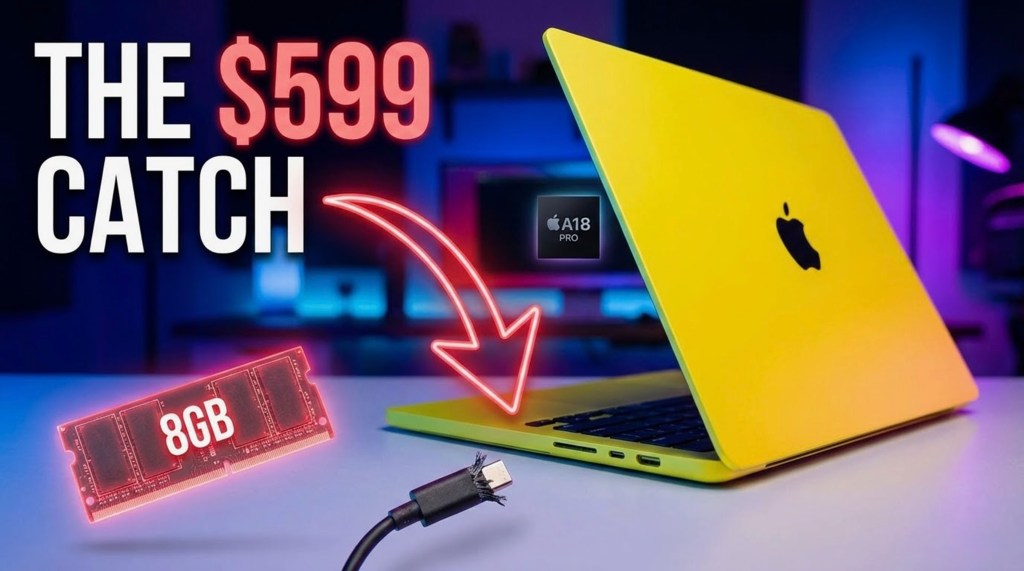
The 2026 MacBook Neo is Apple’s most affordable laptop, starting at $599 ($499 for education). It replaces the desktop-class M-series chips with the A18 Pro smartphone processor to dramatically reduce costs. While it delivers an unparalleled 16-hour battery life, robust aluminum chassis, and full Apple Intelligence support for students and everyday users, power users face strict limitations: an 8GB RAM ceiling, the lack of a backlit keyboard, and a secondary USB-C port restricted to USB 2.0 speeds.
The Dawn of the A-Series Mac: A18 Pro Architecture
For the first time since the transition to Apple Silicon, Apple has placed an iPhone chip inside a macOS device. Built on TSMC’s second-generation 3nm node, the A18 Pro (originally debuted in the iPhone 16 Pro) brings aggressive mobile efficiency to a 13-inch laptop chassis.
Thermal Dynamics and Sustained Performance
In a smartphone, the A18 Pro thermal throttles after 10–15 minutes of heavy load to protect the battery and user comfort. However, the MacBook Neo utilizes its large aluminum bottom case as a massive passive heatsink. Because it is completely fanless, the A18 Pro can sustain its maximum clock speeds indefinitely. Consequently, the MacBook Neo is up to 50% faster in everyday tasks than equivalent PCs running the Intel Core Ultra 5, and its single-core performance actually beats the older M1 MacBook Air.
To know more about the MacBook Neo with A18 Pro Price, Benchmarks and the 8GB Catch, read here.
Hardware-Accelerated Graphics and Ray Tracing
The A18 Pro features a 5-core GPU equipped with hardware-accelerated ray tracing and a dedicated Media Engine (supporting H.264, HEVC, ProRes, and AV1 decode). This makes the Neo surprisingly adept at casual gaming and 1080p/4K video playback, punching far above its $599 weight class.
MacBook Neo 2026 Complete Specifications
| Specification | MacBook Neo Base Model ($599) | MacBook Neo Upgraded ($699) |
| Processor (SoC) | Apple A18 Pro (6-core CPU, 5-core GPU) | Apple A18 Pro (6-core CPU, 5-core GPU) |
| Memory (RAM) | 8GB LPDDR5X Unified Memory | 8GB LPDDR5X Unified Memory |
| Storage | 256GB SSD | 512GB SSD |
| Display | 13.0-inch Liquid Retina, 500 nits, sRGB | 13.0-inch Liquid Retina, 500 nits, sRGB |
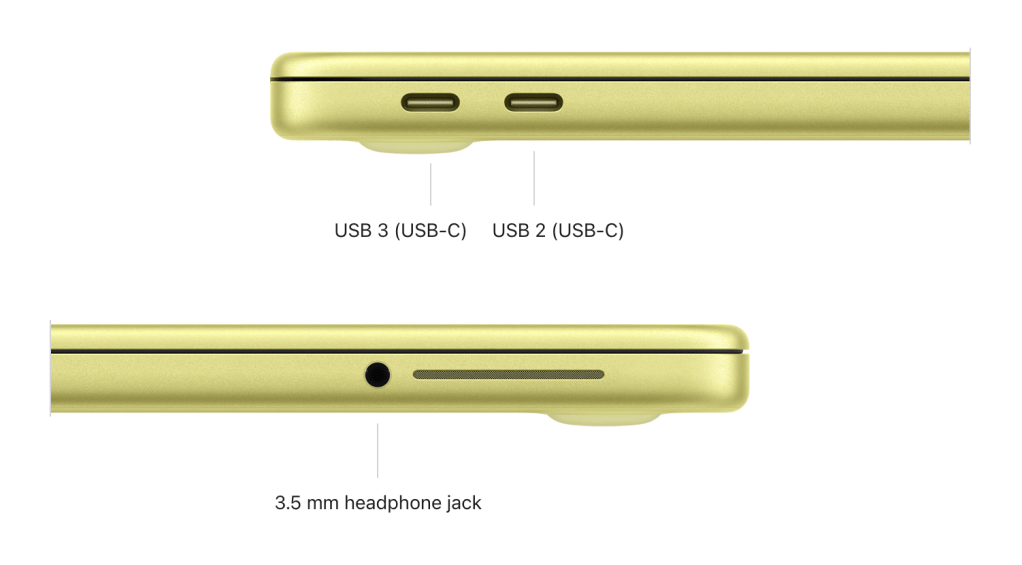
| Ports | 1x USB 3 (10Gbps), 1x USB 2.0 (480Mbps) | 1x USB 3 (10Gbps), 1x USB 2.0 (480Mbps) |
| Battery Life | 16 hours video / 11 hours web | 16 hours video / 11 hours web |
| Biometrics | Standard Power Button (No Touch ID) | Touch ID Enabled |
| Weight & Thickness | 2.7 lbs (1.23 kg) / 0.50 inch | 2.7 lbs (1.23 kg) / 0.50 inch |
| Wireless | Wi-Fi 6E, Bluetooth 6.0 | Wi-Fi 6E, Bluetooth 6.0 |
Source: Apple Official MacBook Neo Tech Specs
Design and Build: Colorful Aluminum Over Plastic
One of the Neo’s greatest triumphs is its chassis. In the sub-$600 market, consumers are typically forced to endure flexing plastic, failing hinges, and poor trackpads.
Portability and The Four New Colors
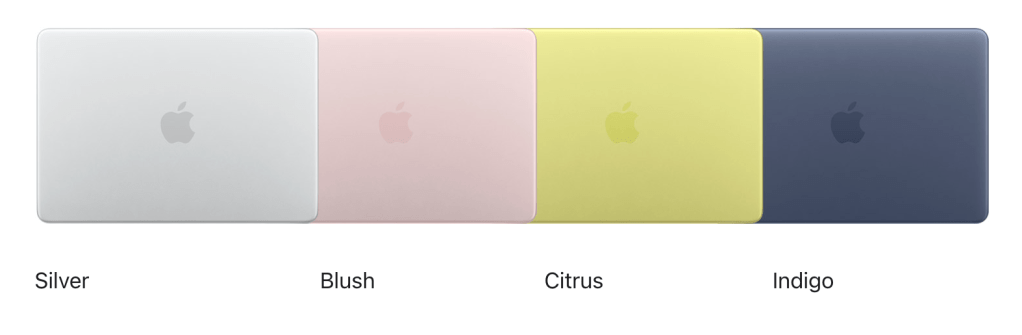
Weighing just 2.7 pounds and measuring exactly half an inch thick, the Neo is built from 90% recycled aluminum. Bidding farewell to corporate monotony, Apple launched the Neo in a playful palette: Silver, Blush (Pink), Citrus (Yellow), and Indigo (Dark Blue). This design heavily targets the Gen-Z demographic and serves as a direct, premium alternative to ruggedized Google Chromebooks.
Unpacking the Compromises: What Apple Cut to Hit $599
To achieve this historic price point, Apple’s engineering team made several ruthless hardware cuts. Understanding the Total Cost of Ownership (TCO) means understanding what you don’t get.
The USB 2.0 Bottleneck
The MacBook Neo features two USB-C ports, but they are not created equal. While the primary port supports USB 3 (10Gbps) and DisplayPort out, the secondary port operates on the legacy USB 2.0 standard (480Mbps). Why? Because the A18 Pro silicon natively possesses only one high-speed I/O controller. Both ports, however, support charging.
The 8GB Unified Memory Ceiling
The system is permanently locked at 8GB of RAM with a memory bandwidth of roughly 60GB/s (significantly lower than M-series chips). If you are multitasking heavy applications, running virtual machines, or manipulating large datasets, the system will swap memory to the SSD and slow down.
Display, Keyboard, and Touch ID Paywalls
- The Keyboard: In a controversial move, the Magic Keyboard on the Neo lacks backlighting. Typing in dim lecture halls or on night flights will rely on the glow of the screen.
- The Display: The 13-inch Liquid Retina panel maxes out at 500 nits but uses the sRGB color gamut rather than the P3 Wide Color gamut found on Pro models. It also lacks True Tone.
- The Security Paywall: The base $599 model requires you to type your password manually. To get Apple’s Touch ID fingerprint scanner, you must upgrade to the $699 / 512GB model.
Who is the MacBook Neo Actually For?
The Ultimate Student and Everyday Machine
For K-12 students, college freshmen, writers, and casual home users, the MacBook Neo is an absolute triumph. For $499 (with the Apple Education Discount), you gain entry into the macOS ecosystem, full access to Apple Intelligence (thanks to the 16-core Neural Engine), and a laptop that will physically survive four years of backpack abuse. But can third world countries people afford this? Read here.
Why Power Users Should Look Elsewhere
If your daily workflow involves Xcode compiling, 4K timeline rendering in Final Cut Pro, or heavy Adobe Creative Cloud usage, the Neo is not for you. The lack of Thunderbolt, the 8GB RAM ceiling, and the single external display limit (4K @ 60Hz) will throttle your productivity. We highly recommend exploring the M5 MacBook Air instead.
Frequently Asked Questions (FAQ)
Is the MacBook Neo better than a Windows laptop at the same price?
For general longevity and battery life, yes. While a $600 Windows PC might offer more RAM (e.g., 16GB) or more ports, the Neo offers vastly superior build quality, a better trackpad, and macOS optimization that stretches its 16-hour battery life far past Intel or AMD budget competitors.
Can the MacBook Neo play games?
Yes, but casually. With hardware-accelerated ray tracing on the A18 Pro’s 5-core GPU, the Neo can smoothly run Apple Arcade titles and optimized Mac games (like Resident Evil Village or Death Stranding) at moderate settings.
Can I upgrade the RAM or Storage on the MacBook Neo later?
No. Following Apple’s unified architecture design, both the 8GB of RAM and the SSD storage are soldered directly to the logic board. You must purchase the exact configuration you need at checkout.
Does the MacBook Neo support Apple Intelligence?
Yes. Because it is powered by the A18 Pro chip (which includes a 16-core Neural Engine) and meets Apple’s 8GB RAM minimum requirement, the MacBook Neo fully supports macOS Tahoe’s on-device AI features, including Writing Tools, Clean Up, and Genmoji.
Learn more about Apple’s 2026 “Budget” MacBook: Can the Laptop Finally Kill the Chromebook?
Author Note: This analysis evaluates the architectural capabilities of the 2026 MacBook Neo based on official benchmarks and supply chain realities. For users requiring sustained high-bandwidth memory or Thunderbolt 4 connectivity, refer to our extended guides on the MacBook Pro series.
 safa.tech
Leave a comment