
Apple’s release of the M5 MacBook lineup in March 2026 brings the total number of active Apple Silicon generations to five. The M5’s biggest leaps are a 153 GB/s memory bandwidth, Wi-Fi 7 (N1 chip), and a 512GB base storage minimum. But if you are holding a perfectly good M2 or M3 machine, Apple’s marketing engine might be trying to sell you power you don’t actually need. Here is the definitive, generation-by-generation architectural breakdown.
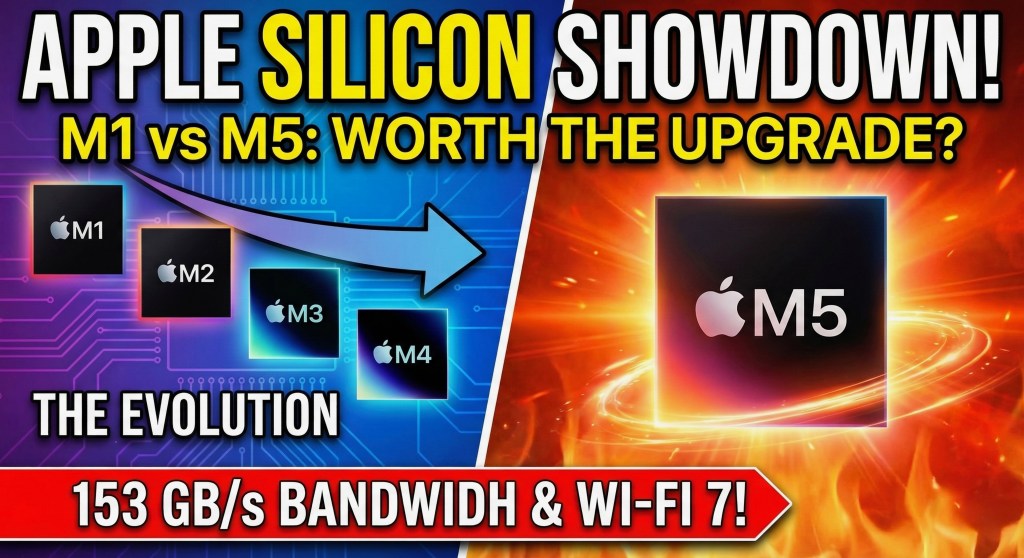
What is the real difference between the M1, M2, M3, M4, and M5 chips?
The evolution is defined by three metrics: manufacturing process, memory bandwidth, and AI processing capability (TOPS). The M1 and M2 (5nm process) revolutionized battery life but struggled with native AI tasks. The M3 introduced a 3nm process and hardware ray tracing. The M4 massively boosted the Neural Engine for Apple Intelligence. Finally, the 2026 M5 chip perfected the 3nm node by adding a Neural Accelerator to every GPU core, introducing a new “super core” tier in its CPU design, and boosting memory bandwidth to a massive 153 GB/s, while eliminating the 256GB storage tier.
Walking into a tech retail shop in Dhaka right now is a confusing experience. You will find the brand new M5 MacBooks proudly displayed, right next to discounted M4s, refurbished M3s, and massive secondary-market stock of M2 and M1 machines. How is M5 MacBook doing actually? Learn more!
Apple has masterfully segmented its product line so there is a MacBook at every single price point from $599 (the new A18 Pro-powered MacBook Neo) up to $4,000.
But from a pure computer science perspective, how much has the architecture actually changed since the legendary M1 launched in 2020? Let’s strip away the marketing jargon and look at the raw silicon. To know more about the new MacBook Neo 2026 with A18 Pro Price, Benchmarks and the 8GB Catch, read here.
1. Apple M1 (2020): The Pioneer
The chip that changed the industry. Apple abandoned Intel and proved that ARM architecture could run a desktop operating system flawlessly.
- The Tech: Built on a 5-nanometer process. It featured a 16-core Neural Engine capable of 11 TOPS (Trillions of Operations Per Second) and 68.2 GB/s of memory bandwidth.
- The Flaws: It lacked a dedicated media engine for ProRes video (meaning video editors hit bottlenecks), and it could only natively support one external display.
- 2026 Status: Still an incredible machine for writing, basic web development, and office tasks. However, it is officially too weak to run advanced local “Apple Intelligence” features smoothly.
2. Apple M2 (2022): The Refinement (And The SSD Trap)
The M2 was an incremental update that fixed the M1’s video limitations but introduced a massive controversy regarding its base model storage.
- The Tech: Still a 5nm chip (second generation), but it introduced a dedicated Media Engine, making 4K video editing buttery smooth. Memory bandwidth jumped to 100 GB/s.
- The Flaws: Apple used a single NAND chip for the base 256GB storage models, making the M2’s SSD slower than the older M1’s SSD. It also ran noticeably hotter in the fanless MacBook Air chassis.
- 2026 Status: The king of the secondary market. If you buy a used M2, just ensure it is the 512GB model to avoid the SSD speed trap.
3. Apple M3 (2023): The 3nm Shift & Graphics Leap
This is where Apple focused heavily on GPU architecture, aiming directly at 3D rendering and gaming.
- The Tech: The first PC chip built on a 3-nanometer process. It introduced “Dynamic Caching” (allocating exact memory needed per task in real-time) and hardware-accelerated ray tracing.
- The Flaws: Apple stubbornly stuck to 8GB of base RAM on machines costing over $1,500, leading to massive backlash from the developer community. Memory bandwidth oddly stayed at 100 GB/s.
- 2026 Status: A solid, highly efficient chip. A refurbished M3 MacBook Pro with 16GB of RAM is currently one of the smartest buys for mid-level software engineers.
4. Apple M4 (2024/2025): The AI Preparation
The M4 was an emergency pivot. Recognizing they were falling behind Microsoft and Qualcomm in the AI race, Apple rushed the M4 to dramatically boost the Neural Engine.
- The Tech: Built on a second-gen 3nm node. The Neural Engine jumped from 18 TOPS (M3) to a massive 38 TOPS, specifically engineered to run local LLMs (Large Language Models). Memory bandwidth increased to 120 GB/s. Apple also finally caved and made 16GB of RAM the minimum standard across the board.
- The Flaws: It was a “transition” chip. While powerful, the external chassis and wireless connectivity (Wi-Fi 6E) remained identical to older models.
5. Apple M5 (2026): The Bandwidth Monster
Announced this week, the M5 is the culmination of everything Apple learned over the last five years. It is designed to remove every single hardware bottleneck. As noted in early hands-on reviews, Apple has hidden a monster inside the familiar chassis.
- The Tech: The M5 features a massive 153 GB/s memory bandwidth (a 28% jump from M4) and places a dedicated Neural Accelerator inside every single GPU core. Apple also integrated the N1 chip, bringing native Wi-Fi 7 to the Mac.
- The Pro Tier: For those needing even more power, Apple also debuted the M5 Pro and M5 Max featuring a new Fusion Architecture, which is already showing monstrous results in early Geekbench tests.
- The Market Shift: The 256GB storage tier is dead. The M5 Air now starts at 512GB of insanely fast storage.
The 5-Generation Showdown
Here is the raw data side-by-side for the base-level “Air” chips.
| Metric | M1 (2020) | M2 (2022) | M3 (2023) | M4 (2024) | M5 (2026) |
| Node Process | 5nm | 5nm (Enhanced) | 3nm | 3nm (Gen 2) | 3nm (Enhanced) |
| Memory Bandwidth | 68.2 GB/s | 100 GB/s | 100 GB/s | 120 GB/s | 153 GB/s |
| Neural Engine (AI) | 11 TOPS | 15.8 TOPS | 18 TOPS | 38 TOPS | >45 TOPS |
| Base RAM | 8GB | 8GB | 8GB | 16GB | 16GB |
| Base Storage | 256GB | 256GB (Slow) | 256GB | 256GB | 512GB |
| Wi-Fi Standard | Wi-Fi 6 | Wi-Fi 6 | Wi-Fi 6E | Wi-Fi 6E | Wi-Fi 7 (N1 Chip) |
So Should You Upgrade? (The Ultimate Upgrade Guide)
Marketing hype will tell you to buy the M5. The logic tree will tell you the truth.
- IF you currently own an Intel Mac…
- 👉 UPGRADE IMMEDIATELY. It doesn’t matter if you buy the M2, M3, or M5. The leap to any Apple Silicon will feel like stepping into the future.
- IF you own an M1 Mac…
- 👉 CONSIDER UPGRADING TO M5. Your M1 is 6 years old. If you are a digital marketer trying to generate local AI graphics, or a CSE student compiling heavy code, the 153 GB/s bandwidth and 16GB/512GB base of the M5 is a monumental, highly justified leap.
- IF you own an M2 or M3 Mac…
- 👉 DO NOT UPGRADE. Unless your daily work involves rendering 8K video or running massive local AI models for enterprise research, your current chip has years of life left. Save your money.
- IF you own an M4 Mac…
- 👉 ABSOLUTELY DO NOT UPGRADE. The M4 is a powerhouse. The addition of Wi-Fi 7 on the M5 is nice, but it is not worth taking a massive depreciation hit on a one-year-old laptop.
The Bottom Line for Local Buyers in Bangladesh
For tech buyers in Bangladesh, the release of the M5 is actually the best news possible not because you should buy it, but because it will instantly drive down the prices of the M3 and M4 models in local secondary markets. Based on the official starting prices in neighboring India, the M5 Air is expected to sit around 165,000 BDT locally (after taxes). The smart money for a university student or freelance developer is grabbing a gently used M3 for a fraction of that cost. Can third world countries people afford this? Read here.
Over to You Now!
Which generation of Apple Silicon are you currently rocking? Has the M5’s 153 GB/s memory bandwidth and Wi-Fi 7 finally convinced you to trade in your trusty M1, or are you holding out for the M6? Drop your setup in the comments below! 👇
 safa.tech.blog
Leave a reply to Edición especial: Chip M5 de Apple – explicado – Resumen diario de tecnología | Piild | Actualízate en 5 minutos Cancel reply